Table of Contents
Script: Fetch Valid Email List
With the sheet opened, navigate to Extensions -> Apps Script to enter the Apps Script environment in a new tab.
A default file named Code.gs has been added. We’ll work in this file to create the logic. If you would create another script file, remember that any function you write will be available in all of the scripts.
What we want to implement is the following:
- Iterate over the table to collect the data, email addresses included.
- Check if the person already received this email by interpreting the sent column
- Check if the person already responded
- Check if the email address is valid
- Give summary to the user
- Prompt user to actually send emails
Batch
Function calls on the Google Sheets API generally need to make contact with the server. If you will use these kind of functions inside a loop, it can become slow real fast. For example:
sheet.getRange("B48").getValue();This will fetch the value of a single cell. In a loop, every getRange() call is a separate call to the server. If you use getRange(…) to fetch more data at once, it is only one call. The fetched data can then be interpreted locally.
Create an Mailing List
// column indexes
const C_NAME = 0;
const C_EMAIL = 1;
const C_RESPONDED = 2;
const C_SENT = 3;

/**
 * Creates a list with email addresses to mail to
 */
function CreateMailingList() {

  // get reference to sheet by name
  let mailSheet = SpreadsheetApp.getActiveSpreadsheet().getSheetByName("Maillist");

  // our table is row 2 to 15, with 4 columns, this fetches our entire table
  let range = mailSheet.getRange(2,1,16,4);

  // get data from the selected cell range
  let data = range.getValues();

  // get valid list of email addresses
  // having a "yes" in the sent column makes the address invalid
  let validRows = GatherValidEmailAddresses(data);

  console.log(validRows);
}

/**
 * Check if email is valid and has not been sent or responded to yet
 * @param {Array[][]} data - Table range
 * @returns {Array} row data with valid email address
 */
function GatherValidEmailAddresses(data) {

  let validList = [];

  for (let row = 0; row < data.length; row++) {

    let email = data[row][C_EMAIL];
    let sent = data[row][C_SENT];
    let responded = data[row][C_RESPONDED];

    if (!email.toString().length > 0) continue;
    if (!email.includes("@")) continue;
    if (sent.toString().toLowerCase().trim() === "yes") continue;
    if (responded.toString().toLowerCase().trim() === "yes") continue;

    validList.push(data[row]);
  }
  return validList;
}This is the first piece of the code. It is incomplete so far, console.log(validRows) should now display only the rows of the table that have a valid email address. This means the email address itself and the Sent or Responded columns may not be equal to “Yes” or any other case version of yes.
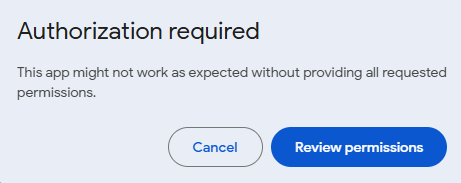
Authorization required
If you try to run your code and stumble upon an authorization required screen, you need to allow access. Sometimes this is visible by navigating to it via “advanced”.