Settings Page
Navigate from the Apps Scripts back to the browser tab with the sheet open. Create a new sheet at the bottom of the page and call it “Settings“. We will create the email options here.
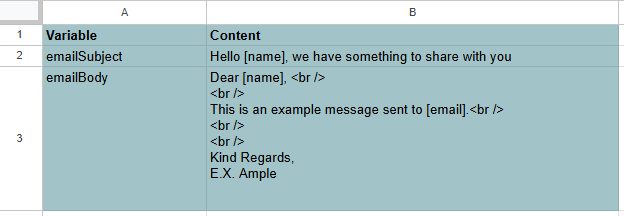
I have created a very simple settings page. We can read out the cells for the mail subject and mail body here and replace the [placeholders] later.
We only need to read the B2 and B3 cells later. The A column is for our own reference.